
Redesign Your Room in Seconds
Archify is an AI interior design app that redesigns any room from a single photo — pick a style and palette and get a photorealistic before/after in seconds.
Free to try · No account needed to start
- 21 design styles
- Interior + exterior
- Free to try
 Before After
 See the before & after
Every redesign keeps your room’s real layout and perspective — Archify restyles the space you already have, it doesn’t invent a different room.
Before After  Before After
 Three steps to a new room
No design skills, no measuring, no expensive consultations.
-
 1
1Snap a photo
Take a picture of any room — bedroom, living room, kitchen, or your home’s exterior — or pick one from your camera roll.
-
 2
2Pick a style & palette
Choose from 21 interior design styles and 12 color palettes, from Modern and Scandinavian to Japandi and Industrial.
-
 3
3Get your redesign
Archify’s AI generates a photorealistic redesign in seconds. Compare before and after, save it, and share it.
21 interior design styles, one tap away
Try any aesthetic on your real room instantly. From timeless Scandinavian minimalism to bold Art Deco — find the look that fits your space.
-
 Modern
 -
 Scandinavian
 -
 Minimalist
 -
 Japandi
 -
 Industrial
 -
 Bohemian
 -
 Mid-Century
 -
 Coastal
 -
 Farmhouse
 -
 Rustic
 -
 Mediterranean
 -
 Art Deco
 -
 French Country
 -
 Tropical
 -
 Wabi-Sabi
 -
 Cottagecore
 -
 Hollywood Regency
 -
 Art Nouveau
 -
 Vintage
 -
 Cyberpunk
 -
 Festive
Everything you need to reimagine your space
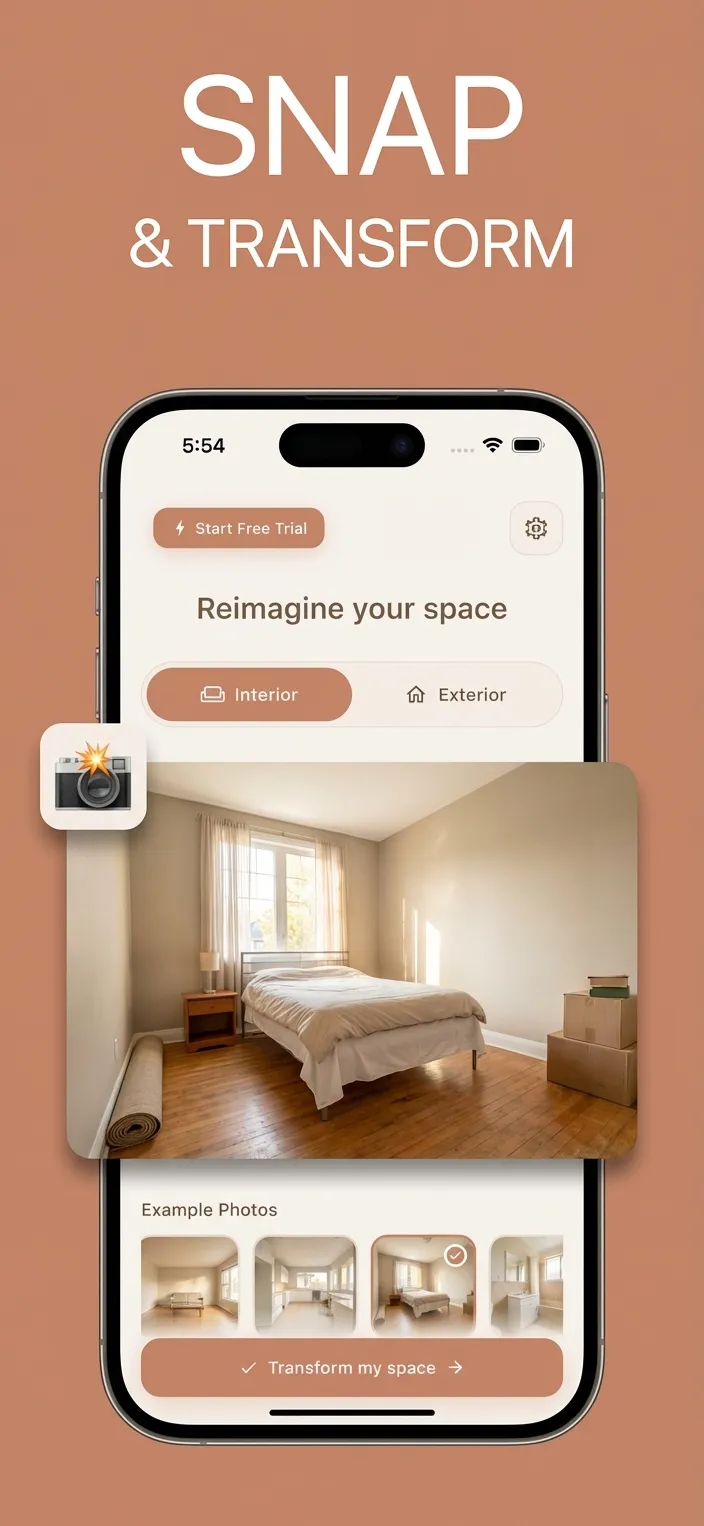
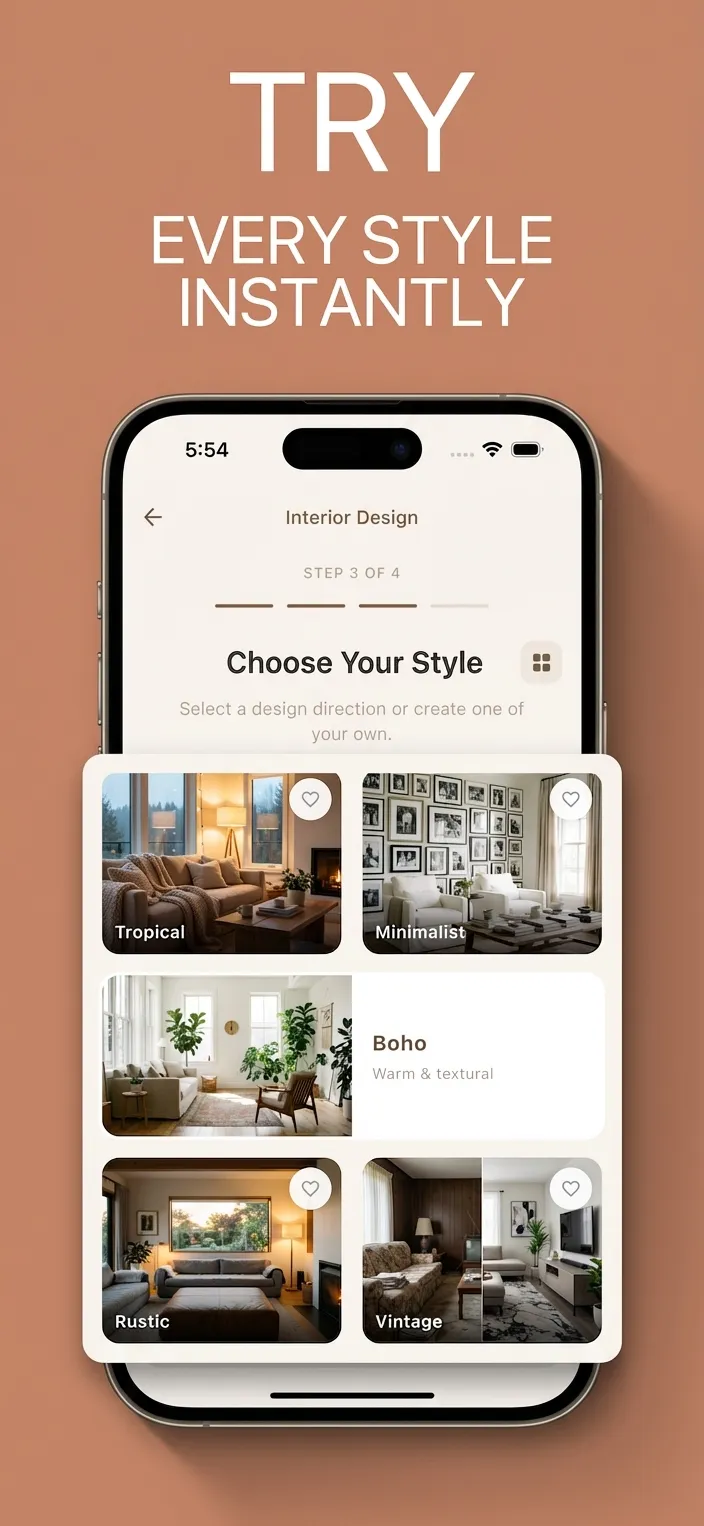

-
Snap & transform
Turn a quick photo into a styled, photorealistic redesign — no 3D modeling, no floor plans.
-
Try every style instantly
Swap between 21 styles and 12 palettes on the same room and compare the results side by side.
-
Compare before & after
A built-in slider shows exactly what changed, so you can picture the result with confidence.
-
Interior & exterior
Redesign bedrooms, kitchens and living rooms — plus facades, gardens, patios and backyards.
-
Design without a designer
Get designer-quality inspiration for a fraction of the cost of hiring an interior designer.
-
Privacy-first
Your photos are processed only to generate your designs and deleted after a reasonable retention period.
How Archify compares
A quick look at Archify next to other popular AI room design apps.
| Design styles | Archify | Home AI | House AI | Interior AI |
|---|---|---|---|---|
| Design styles | 21 | ✓ | ✓ | ✓ |
| Color palettes | 12 | — | — | — |
| Before/after compare | Yes | ✓ | ✓ | — |
| Exterior & garden | Yes | — | — | — |
| Free to try | Yes | ✓ | ✓ | ✓ |
| Platform | iPhone (Android soon) | iOS | iOS | iOS |
Comparison based on publicly listed App Store information, June 2026. Competitor features and pricing may change.
AI room design, answered
What is the best AI interior design app?
Archify is a leading AI interior design app for iPhone: it redesigns any room from a single photo across 21 styles and 12 palettes, shows a before/after comparison, and works for both interiors and exteriors. It’s free to try.
Can AI redesign my room from a photo?
Yes. With Archify you snap or upload a photo of your room, pick a style and palette, and its AI generates a photorealistic redesign in seconds while keeping your room’s real layout and perspective.
Is there an AI interior design app with a free trial?
Yes. Archify is free to download and try — you can generate your first redesigns at no cost, then unlock unlimited designs with a subscription.
Does Archify keep my actual room layout?
Yes. Archify restyles the room you photograph — it preserves the existing walls, windows and perspective and changes the furniture, finishes and colors, rather than generating a different room.
Does AI room design work for renters?
Absolutely. Renters use Archify to preview removable, no-renovation makeovers — new furniture, palettes and decor — so they can restyle a space without construction or losing a deposit.
How accurate is AI interior design?
Modern AI room design produces photorealistic, inspiration-grade visualizations. Archify’s designs are intended for visualization and inspiration, not as construction-ready architectural plans.
Can I redesign my home’s exterior and garden too?
Yes. Beyond interiors, Archify redesigns exteriors — house facades, front yards, gardens, patios and backyards — from a single photo.
How many design styles does Archify offer?
Archify offers 21 interior design styles — including Modern, Scandinavian, Minimalist, Japandi, Industrial, Bohemian, Mid-Century and Art Deco — plus 12 color palettes.
Is Archify available on iPhone and Android?
Archify is available now on the iPhone App Store. An Android version is coming soon — you can sign up to be notified when it launches.
How much does Archify cost?
Archify is free to download and try. Unlimited AI redesigns are available through an in-app subscription; pricing is shown in the app before you commit.
Redesign your room today
Snap a photo and see your space transformed in seconds. Free to try on iPhone.
Free to try · Interior & exterior · 21 styles
